Search history
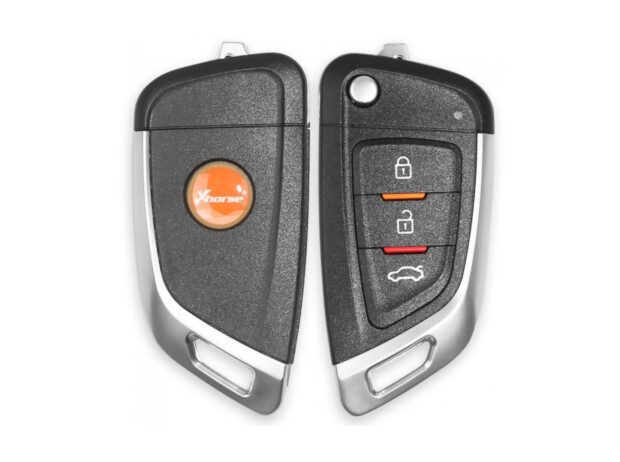



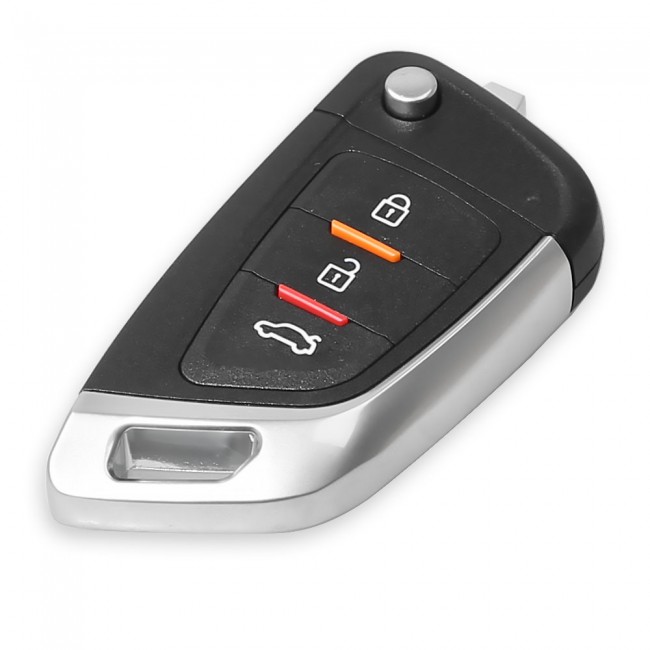
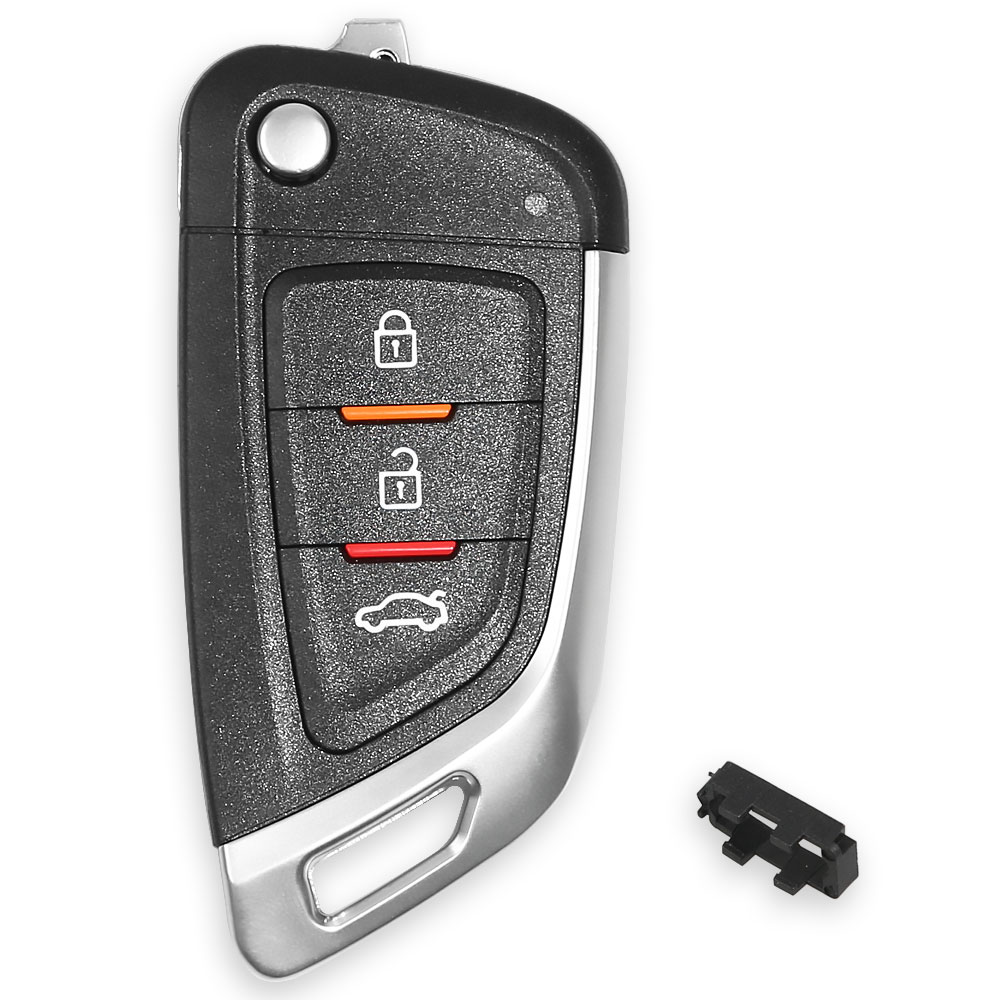
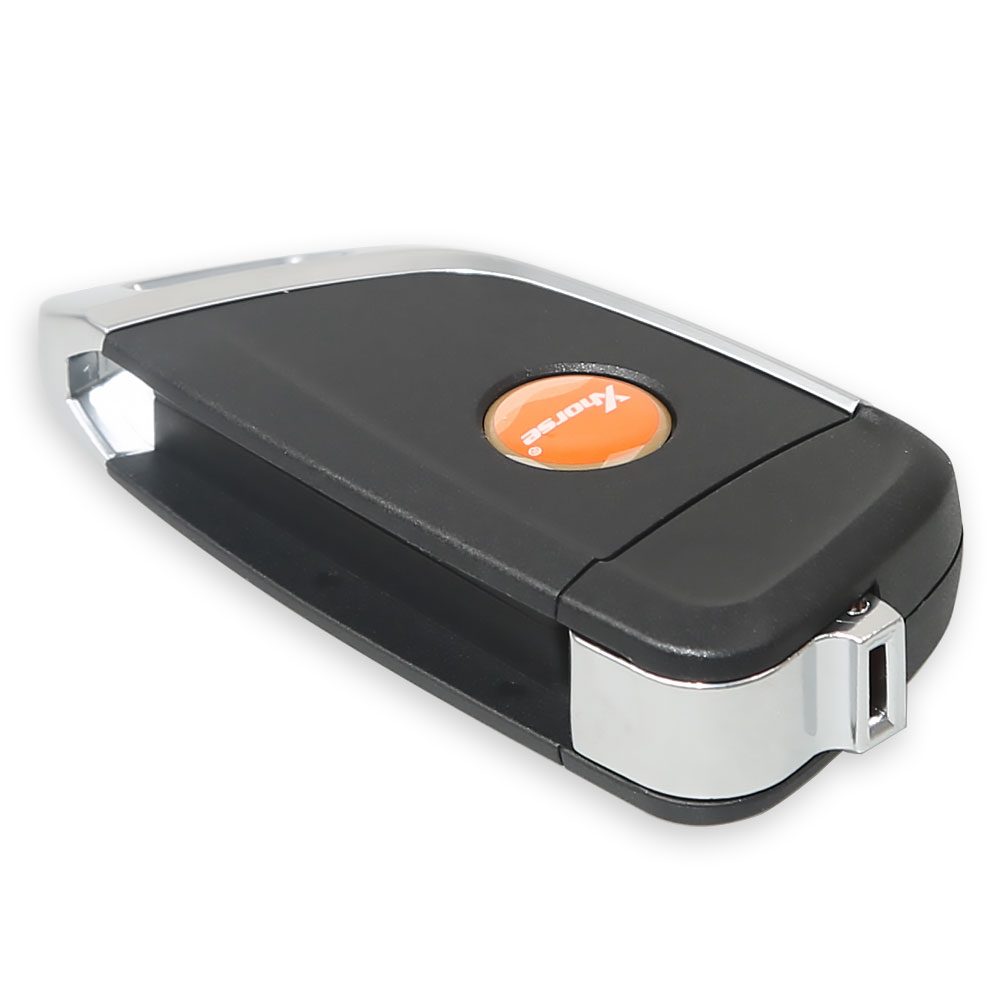
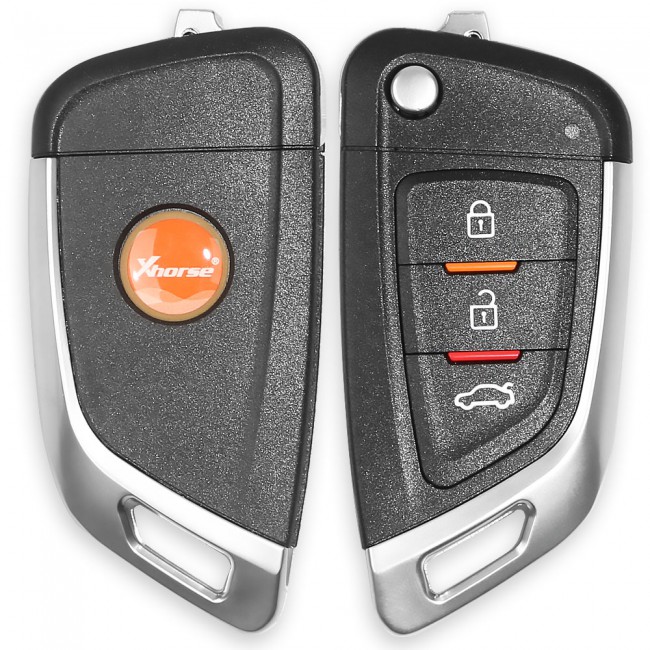
The tool supports generating or cloning by VVDI key tool and VVDI2
With 3 buttons;
No battery;
No blade.

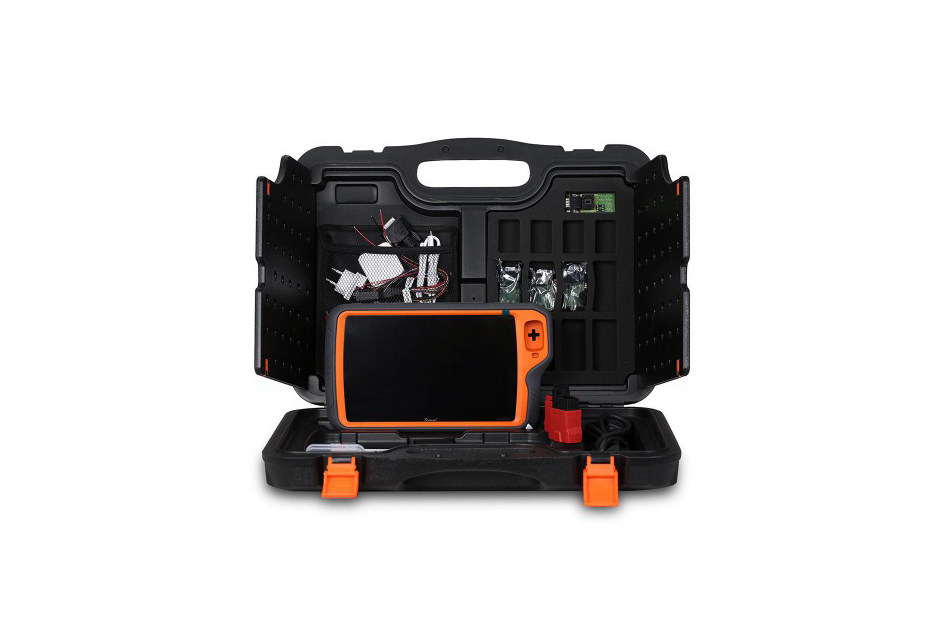 VVDI Key Tool Plus Pad
VVDI KEY TOOL PLUS provides an all-in-one security solution for locksmiths with no need to take your laptop or mobile phone. It supports IMMO programming for vehicles like BMW, BENZ, AUDI, and VW. Besides, it allows controlling Xhorse key cutting machines.
Parameters:
It supports basic functions of a Key Tool, such as remote generating, cloning, transponder detection, and IMMO programming for VW & Audi, BMW, and Mercedes Benz.
Please note:
IMMO Key Programming Function:
Mercedes Benz FBS3 FBS3 Add key/all keys lost, fast password calculation with a high success rate, time-saving (use Benz non-removal adapter)
BMW OBD add key/all keys lost CAS1 CAS2 CAS3+ CAS4 CAS4+ FEM BDC (service mode)
VAG IMMO2 IMMO3 IMMO3.5 IMMO4 IMMO5 MQB add key, all keys lost
VAG online IMMO4 add key and AKL, A6 Q7(J518) All Keys Lost, MQB add key and AKL, 5 °C add key, fast inexpensive, no risk of the car dead with VVDI remote
Toyota 8A mechanical key OBD Add key and All keys lost (No need to remove immo box for AKL. 8A AKL adapter is required.
Mitsubishi OBD Add key, all keys lost, prepare dealer key Outlander, ASX, Eclipse Cross etc)
Porsche Generate dealer key for new Porsche (-2018), OBD IMMO programming (key tool plus read dump and generate key, OBD immo programming)
Peugeot Citroen DS OBD Read Pin, Add key and All keys lost
Ford (-2018) Smart key programming without PIN code for-2018 models/key programming
Ford 2019— Key programming without reading PFLASH backups for 2019 up Focus, Escort (safe, no risk.)
Jeep Chrysler Dodge 2018 up Reading PIN code and key programming key via OBD
Fiat Viaggio Palio OBD Add key, AKL and prepare dealer key
Buick Chevrolet Cadillac OBD Read PIN Code (ID46 transponder), online get PIN code for some cars with 4D/47 transponders
Hyundai Kia OBD read PIN Code for cars with 46, 47, 8A transponders and program key
Honda 2019 up AKL OBD all keys lost for 10th Generation Accord, Envix, Fit, Inspire
Volvo (-2016) OBD read ISN by OBDII (remote key), require CEM EEPROM dump (remote key), require CEM, KVM EEPROM dump (smart key)
Chinese Cars Support key programming for common Chinese cars and PIN code calculation or OBD read PIN code for some models
KEY TOOL PLUS provides users with functions including key programming, key learning, ECU coding/adaption/replacing, diagnostic function, etc. to best resolve most problems occurring in immo programming for Volkswagen and AUDI cars.
VW & Audi:
KEY TOOL PLUS allows BMW CAS1 CAS2 CAS3 CAS3+ CAS4 CAS4+ OBD key learning, FEM/BDC key programming, File Make Key, ECU ISN reading, ECU and CAS synchronization, etc. Getting work done has never been easier.
BMW IMMO Programming
KEY TOOL PLUS offers users all-rounded and professional security solutions for Mercedes-Benz. The device helps with FBS3 Keyless-go smart key programming, all key lost, adding keys, enabling & disabling keys and 曰S/EZS,ELV, ECU, gearbox, ISM replacing.
Benz IMMO Prorgamming
Other Car Models Supported
KEY TOOL PLUS supports over 20,000 car models worldwide. We can select the car brands and car models on the immo programming interface. On this smart platform, you can easily find the car models you need by brand area, brand name, and A-Z word search.
Transponder & Remote Function:
Transponders
Remotes
Prog Function:
Key Tool Plus is designed with Prog function, which can work as a solder-free programmer, directly reading and writing common modules and chips for plenty of car models. Xhorse is the first to offer this integrated solution.
Supported EEPROM and FLASH: ATMEL, Mitsubishi, Winbond, Catalyst, ST, XICOR, Microchip, SEIKO, Xhorse, MXIC, Toshiba
Supported Modules
(Note: To complete certain functions, users need to connect KEY TOOL PLUS to the specific adapters and get the required model prompt on the interface. The function is only effective in the advanced edition.)
WHAT CAN BE DONE BY PROG FUNCTION ON KEY TOOL PLUS
IMMO DATA TOOL (FILE MAKE KEY)
Supports Jaguar — Land Rover — Porsche — Volvo — Mitsubishi — and others
For some cars, key programming and other settings can’t be finished via OBDII. KEY TOOL PLUS gives amazing strength to solve the dilemma by delivering the File Make Key function which can be used to add keys for them. This
very function features generating transponder via reading-related transponder data of the car immo module directly.
[ File make key, to generate a car key via a data file. Users need to use the specific device to read the immo data and generate a boot transponder to directly start the car, no need to match the original car.(Users may need to rewrite the data to the immo box when doing the programming process on some car models.) ]
Maintenance Function
KEY TOOL PLUS supports maintenance light reset, electric parking brake, TPMS, battery matching, throttle program, injector programming, steering angle programming, bitting decode, gearbox programming, headlight programming, etc. More maintenance functions will be released soon.
CONTROL KEY CUTTING MACHINES DEVELOPED BY XHORSE
KEY TOOL PLUS is available to control the key cutting machines(CONDOR, DOLPHIN, and PANDA), to perfectly work as an operation screen. By using KEY TOOL PLUS, completely free your mobile phones.
Cloud Diagnosis Mode-C:
After the Key Tool Plus starts the C mode of cloud diagnosis, it will generate the local C-terminal ID and send C-terminal ID to a customer who provides remote service. Customer use cloud diagnosis B-terminal Xhorse device, after inputting C ID and connect to the Plus pad for remote diagnosis, programming, coding, matching, maintenance and other functions.
Other Special Functions:
Remote renew, Set type of VVDI super chip, VVDI Special TP, Unlock Toyota Smart Key, Detect remote, VVDI remote repair calibration, VVDI smart key clone, VVDI smart key customization, remote charge battery, Honda cycle key renew, 8E remote upgrade/unlock, XM smart key customization, Toyota smart key frequency setting
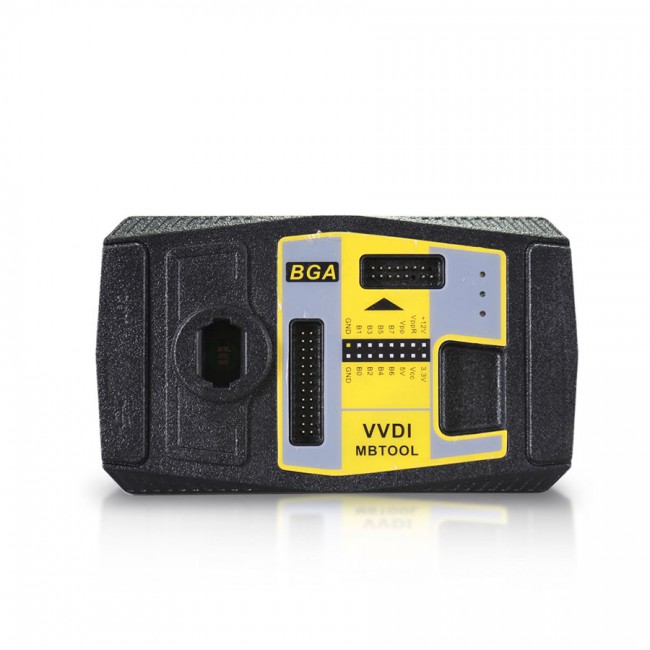 VVDI MB BGA Tool Benz Key Programmer
Original Xhorse VVDI MB BGA Tool Benz Key Programmer
Please note:
The one-year unlimited tokens start from the day when the factory made it.
VVDI MB Highlights:
1. Latest software version: V5.1.0, Requires firmware V5.0.1
2. Multi-language: English, Polish, Spanish, Chinese
3. It Supports Password Calculation Function. VVDI MB needs 1 token (2 tokens for all key lost). Other functions are free to use.
4. If you offer the serial number of Condor or Dolphin, your VVDI MB will have 1 free token per day.
5. If you have CONDOR XC-002, Condor Mini or Condor Mini Plus, your VVDI MB can have another 1 free token every day. If you have both Condor XC-mini/XC002 or Dolphin, your VVDI MB can have 2 free tokens per day.
6. Supports all keys lost: W166, W197, W212, W218, W246, W206, W210, w204, w207, W166, W203, W463, W639, W246, W212, W212 (old), some W216, W164 2009-, W164, W221, W215, W220, W230, W164 / W251 04–08 and some others.
7. Support FBS4 disable key function (Other functions -> FBS4 disable key)- Support W166 W205 W213 W218 W222 W246 type
Xhorse VVDI MB Tool Function:
1. Key Reading and Writing
2. Password calculation
3. ESL TOOLS
4. Gateway Reading/Writing
5. EIS tools
6. Key File Preparing
7. Program or Renew ECU / Gearbox / ISM
8. Unlock ELV function
9. Renew other control modules function
10. Reading/Writing CGW (ZGW), KM Repair
Model Support IR/OBD:
Keys version supported:
What keys/remotes are supported?
705 Moto1997–2000
NEC 2001–2005
NEC 2006–2010
BGA 2011+
VVDI MB Tokens:
3 ways to get VVDI MB tokens:
Xhorse will give you one token free every day.
Tokens are needed when calculating a Key Password (Internet connection required).
VVDIMB Update Log:
Latest version V5.1.0(2021-04-06)
2021-04-06
Require firmware V5.0.1
BENZ V5.1.0
1. Bugfix for write K-Line EIS
2. Bugfix for write ECU(272) VIN, only for test purpose
3. Add Setting option(Menu->File->Setting), support deactivate voltage limit function, Read password via IR
4. Bugfix
Software Update
This function requires internet support
Use «Menu -> Update Online -> Software Update» to obtain VVDI-MB TOOL latest software version, the software version requires firmware version etc.
Press Download Link will download the latest software
If there’s no display for the software version, shutdown your firewall and antivirus programs, try again.
Update firmware steps:
1) Connect VVDI — MB TOOL to PC with the USB cable;
2) Choose VVDI — MB TOOL firmware version from Firmware List;
3) Press button Update Online, wait for the progress end;
4) If failed to get the file list or get something like «communicate with server error!» while update your device, close antivirus and firewall programs, try again. Change your internet provider once failed again;
5) DON’T shut down your PC or disconnect the USB cable while updating the device.
How to Combine VVDI Mercedes Benz and VVDI2 in Xhorse App?
Run upgrade kit, device connect to PC by USB cable, read device,
Select «Binding», the customer will get a QR code automatically,
Login Xhorse APP, enter «Account» — «Combine device»,
Then scan the QR code to combine to account.
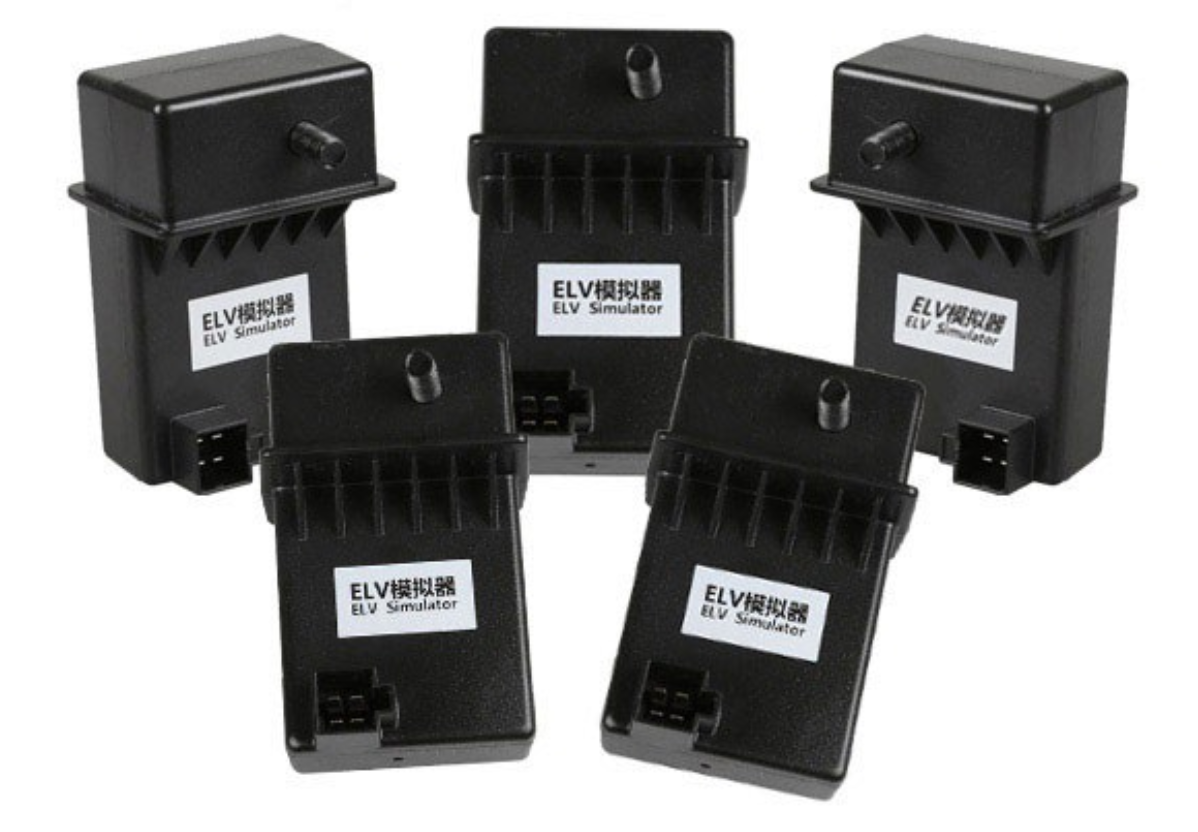 Xhorse ESL Emulator / ELV Emulator for Benz 204 207 212 with VVDI MB tool
XHORSE ESL Emulator/ELV Emulator for Benz 204 207 212 works with VVDI MB tool. It is used if the ESL is damaged or NEC is locked.
How to replace ESL with VVDI MB BGA Tool?
Step 1.
Erase EIS, then re-write EIS and personalize ESL, finally, ESL is synchronized. Note: if you not erase ESL at first, but only personalize ESL, the ESL won’t be synchronized. To erase EIS, both Key password and Erase password are required. For the key password, you can get it by adding keys.
Now the EIS has been fully updated.
Step 2. Load EIS data
Tick «IR» to write EIS data and «OBD» to write VIN.
Step 3. Click «Personalize W204 ESL»
Step 4.
Now, the options «Initialized», «TP Cleared» and «Personalized» are ticked, except «Activated»
Insert the original car key then EIS and place ESL in the «Activated» status.
Finally, you can renew ESL with success.
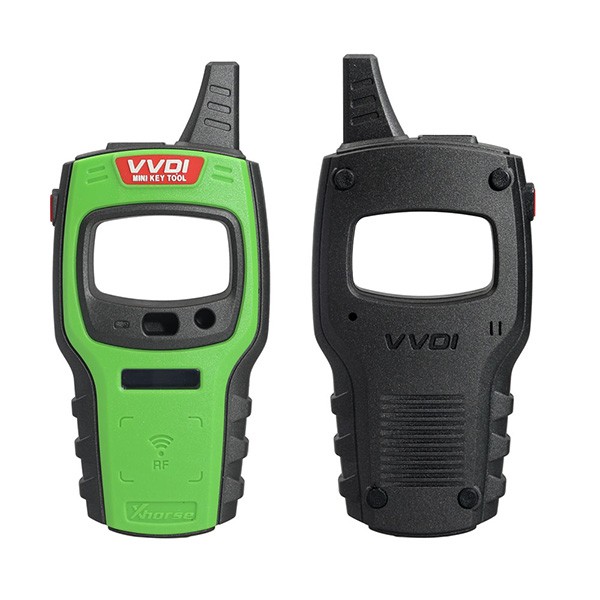 Xhorse VVDI KEY TOOL MINI
VVDI Mini Key Tool VVDI Key Tester Remote Maker NA Version based on iOS/Android Smartphones
VVDI Mini Key Tool features:
3 colours optional: red, green, orange. The tool will be sent of random colour.
Comprehensive functions, support remote and chip programming. Integrated most existing mainstream data for remote and chip.
Languages: English, Chinese, Spanish, French, Hindi, Hebrew, Italian, Thai, Polish, Portuguese, Korean and Indonesian.
Operational video
Mini Key Tool Function Introduction:
It has the ability to clone ID4C/4D, 46, 48, ID70, ID72 and can adapt to future updates. It can also generate remotes for various car brands by connecting the mini key tool with the VVDI Mobile App available on both Android & iOS mobiles.
Transponder Generating:
Support TP transponder & parts of special transponder
more than 700 vehicle models, reduce the stock of transponders efficiently.
Remote Cloning:
Support the HCS/Fixed code cloning, support non-HCS rolling code cloning, support PT22XX, LX918, HT6P20, VD5026, AX5326, HT12X fixed code editing.
Remote Generating:
Support 128 brands, over 2000 vehicle models. Generate more abundant and thorough key pictures, transponder types, key blanks and remote matching data.
Frequency Test:
Support the power test within the range of 300-450Mhz.
Garage Remote Generating:
Support more than 100 types
Toyota H Transponder:
Activate Toyota H transponder generation function
VVDI Mini Key Tool Full Authorization (already activated):
How to combine VVDI MINI KEY TOOL/DOLPHIN/KEY TOOL?
Login Xhorse APP, connect the device by Bluetooth, enter «Device & History» to combine devices.
Mini Keytool Parameters:
LCD Size: 2.4'
LCD resolution: 320*240
Extra Power: 5V/1A
Usage Time: ≥10 Hour
Product Size: 108×194×28mm
Weight: 229g
Charge Current: 1A
Battery Capacity: 150mAh
Power: 600mW
Battery Voltage: 3.6–4.2V
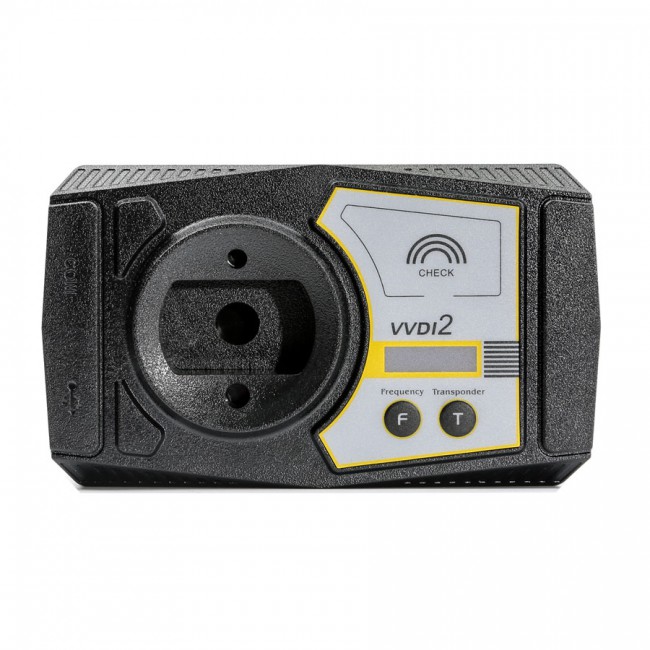 Xhorse VVDI 2 Full Version
BMW FEM/BDC Test Platform+ 5 Smart Remotes
VVDI2 All Activated including all following authorizations:
1. VV-01 VAG 4th immobilizer
2. VV-02 VAG 5th immobilizer
3. VV-03 VAG Copy 48 transponder by OBDII
4. VV-04 ID48 96Bit Copy
5. VV-05 VAG MQB Immobilizer
6. VB-01 BMW OBD
7. VB-02 BMW CAS4 key learning
8. VB-03 FEM/BDC Function
9. VP-01 Porsche immo data tool
10. VPSA-01 PSA
11. VK-01 Transponder Programmer
12. VJ-01 Passthru J2534
13. V7-01 Prepare Toyota H Chip
Toyota H Chip authorization (customer activates it freely): Search «Xhorse» from google play or apple store — use phone number to log in — bind vvdi2 — app home page — shop — bonus points — use 0 points to activate Toyota H chip
VVDI2 Language:
VVDI2 for BMW language: English, Italian, Spanish, Polish, German, Hungarian, Chinese
VVDI2 for VAG language: English, Polish, Spanish, Chinese
VVDI2 for Porsche language: English, Polish, Spanish, Chinese
VVDI2 for PSA language: English, Polish, Spanish, Chinese
VVDI2 for Transponder programmer language: English, Polish, Spanish, Chinese
Xhorse VVDI2 Using Notice:
1. VVDI 96bit ID48 cloning costs 100 points each time. You can pay 15USD for 1 token.
2. Now it’s free to activate the VAG EDC17 PIN, MAC, CS calculation via EEPROM and flash dump (when you receive the package, give us your SN number, then will activate it for you.)
3. How to open the Toyota H Chip Activation:
VVDI2 Full Software:
Volkswagen Software:
Supports Volkswagen, Audi, Skoda, Seat, Porsche, Bentley etc.
Main Function: Diagnostics, 4th immo, 5th immo system
Learn key
Remote adaptation
Change KM
Program Engine control unit (Passat ICC By OBD)
Unlock Immo1 / Immo2 firmware protection
Support data manipulation tools
K-line instrument / immo box
Adapt unit module component protection, dump tool and so on
Porsche Software:
Support file make key and key learn by OBD2
EEPROM support:1L15Y, 2M25J, 5M48H, 1N35H
BMW Software:
VVDI2 BMW FEM/BDC Function:
Users can refer to the following information (3 steps for make keys: get key info ->programming FEM/BDC system ->make keys)
1.support make new key with ignition switch(support add spare key and all key lost, all key lost require ISN)
2.support reset FEM/BDC KM (cluster require reset manually)
3.support erase key (after erasing the key position become blank position)
4.support backup coding
5.support restore coding
Notes:
Others vvdi2 functions list:
Peugeot/Citroen/DS get the password, key learn
Test remote frequency
Support PASSTHRU J2534, can be used by third-party software ODIS etc. With a built-in switch matrix, it supports third-party diagnostic software including:
ODIS, Toyota TIS techstream etc.
To perform VVDI2 diagnostic function, third-party diagnostic software should be compatible with J2534 function.
J2534 compatible adapter
1. Detect key frequency, automatically identify chip type
The test result can show on the main unit display, no need to connect to the computer
2. Support VAG vehicle diagnostic function
Read & write Immo4/Immo5 system
Learn key
Program BCM remote
K-Line instrument immobilizer box
Correct odometer
Program control unit
Unlock Immo1/Immo2 firmware protection
Support data manipulation tools
3. Support OBD functions on BMW vehicles.
Correct odometer
Generate key
Unlock key
Fix CAS computer
4. Key programmer
Program key chip
Generate specialized chips
Immobilizer data processing tool
Other key tools
Generate remote control
5. Passthru J2534 Introduction
With a built-in switch matrix, it supports third-party diagnostic software including ODIS, Toyota TIS Techstream etc. To perform VVDI2 diagnostic function, third-party diagnostic software should be compatible with J2534 function.
VVDI2 VAG ID48 Model Add Key & All Keys Lost Supported:
2015 Skoda Octavia
2015 VW Passat smart key
2015 VW Scirocco smart key
2015 Audi Q3
2014, 2015, 2016 Tiguan smart key
parts of 24C64, 24C32 all keys lost without removing the dash
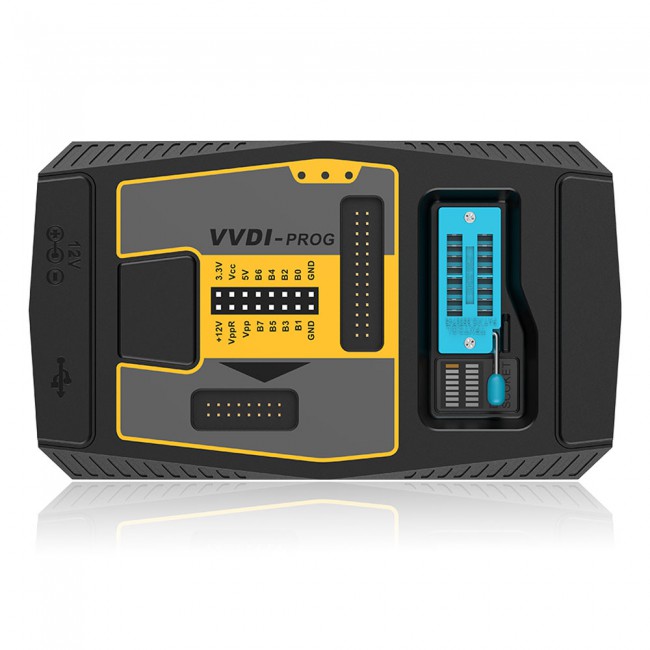 VVDI Prog ECU Programmer
VVDI Prog Programmer supports Reading and Writing for lots of chips, including MC9S08 series, MC68HC(9)12 series, MC9S12 series, V850 series, H8X series, R8C series, PCF79XX series and most EEPROM chips etc.
1. Built-in update software: Make VVDIProg firmware update timely.
2. High-speed USB communication interface: Make software automatically connect.
3. Smart operation mode: possible causes of error will be listed
4. Reserve ports: For future update.
5. Self-test function: Check if the machine works well or not.
6. Power supply: Through a USB cable, the software will automatically prompt if the external USB power supply is needed
7. Recently added Bosch ECU Adapter functions, Support Reading ISN from BMW ECU N20 N55 B38 B48
but need to buy VVDI Prog Bosch ECU Adapter.
8. Multi-language: English, French, Italian, Spanish, Arabic, Cezch, Polish, Portuguese, Russian, Turkish, Chinese
9. Get free BMW ISN read function and NEC, MPC, Infineon etc. chip continuous update service
Please note:
VVDIProg Using Tips:
1. DO NOT click firmware upgrade in VVDI Prog software, its firmware is always 2.0 version, there is no need to update it, or it will get a communication server error.
2. Please do wiring 100% same as in the connection diagram in VVDIProg software, DO NOT lengthen the connection lines with other parts — it will fail to do the reading.
VVDI-Prog Supported Type List:
Memory:
ATMEL, CATALYST, EXEL, FAIRCHILD, INTEL, MICROCHIP, MITSUBISHI, ST, TOSHIBA, XICOR
MCU:
RENESAS V850, RENESAS H8X, RENESAS R8C, MOTOROLA MC68HC(9)08, MOTOROLA MC68HC(9)12, MOTOROLA MC9S08, MOTOROLA MC9S12, NXP PCF79XX, ST ST10F, INFINEON XC2XXX, ATMEL, ATMEGA XXXX, INFINEON XC164CS, MICROCHIP PIC18F
VVDIProg Supported Model List:
ECU List:
BMW E Series, BMW F Series, BOMBARDIER, CHANGAN, DELPHI, MAGNETI, MARELLI, RENAULT, OTHER
IMMOBILIZER List:
AUDI, BENZ, BMW, BUICK, CHEVROLET, STEC, CHRYSLER, FIAT, FORD, GREAT WALL, INFINITI, LANDROVER, JAGUAR, NISSAN, OPEL, PORSCHE, RENAULT, SAIC MOTOR, VOLKSWAGEN, ZHONGHUA.
DASHBOARD List:
BUICK, CHANGAN, CHERY, CHEVROLET, DONGFENG, FAW, FORD, GEELY, GREAT WALL, HAFEI, TOYOTA, HANTENG, HAIMA, HONDA, JAC, JAGUAR, JINBEI, JMC, LUXGEN, NISSAN, SGMW, VOLVO, ZHONGHUA, ZOTYE
REMOTE List:
BMW E Series, BMW F Series
For the full VVDI Prog Supported Chip List please contact us via email
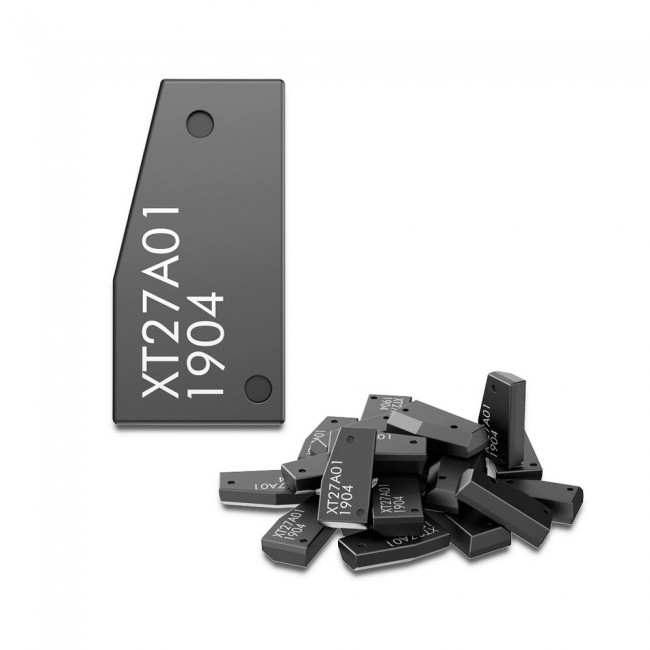 VVDI Super Chip XT27A66 Transponder for VVDI2 VVDI Mini Key Tool
The all-new VVDI Super Chip is a virtually universal transponder chip that, when paired with the VVDI2, Mini Key Tool or VVDI Key Tool, has the ability to be converted into a wide variety of automotive transponder chips.
Please note: You need to update your VVDI2/VVDI Key Tool/MINI Key Tool to the latest version in order to use this chip.
Chip Compatibility
The Xhorse VVDI super chips have to be reset to reuse them.
Follow the steps below:
Step 1: Put the VVDI super chip into the Keytool and open the Xhorse app.
Step 2: Go to Keytool and select special functions
Step 3: Select «Set type of VVDI super transponder
Step 4: Scroll down to Reset VVDI super chip. It’s the last option on that page
Step 5: Tap set